
Corporate Headshots in Luxembourg: What to Expect and How to Prepare
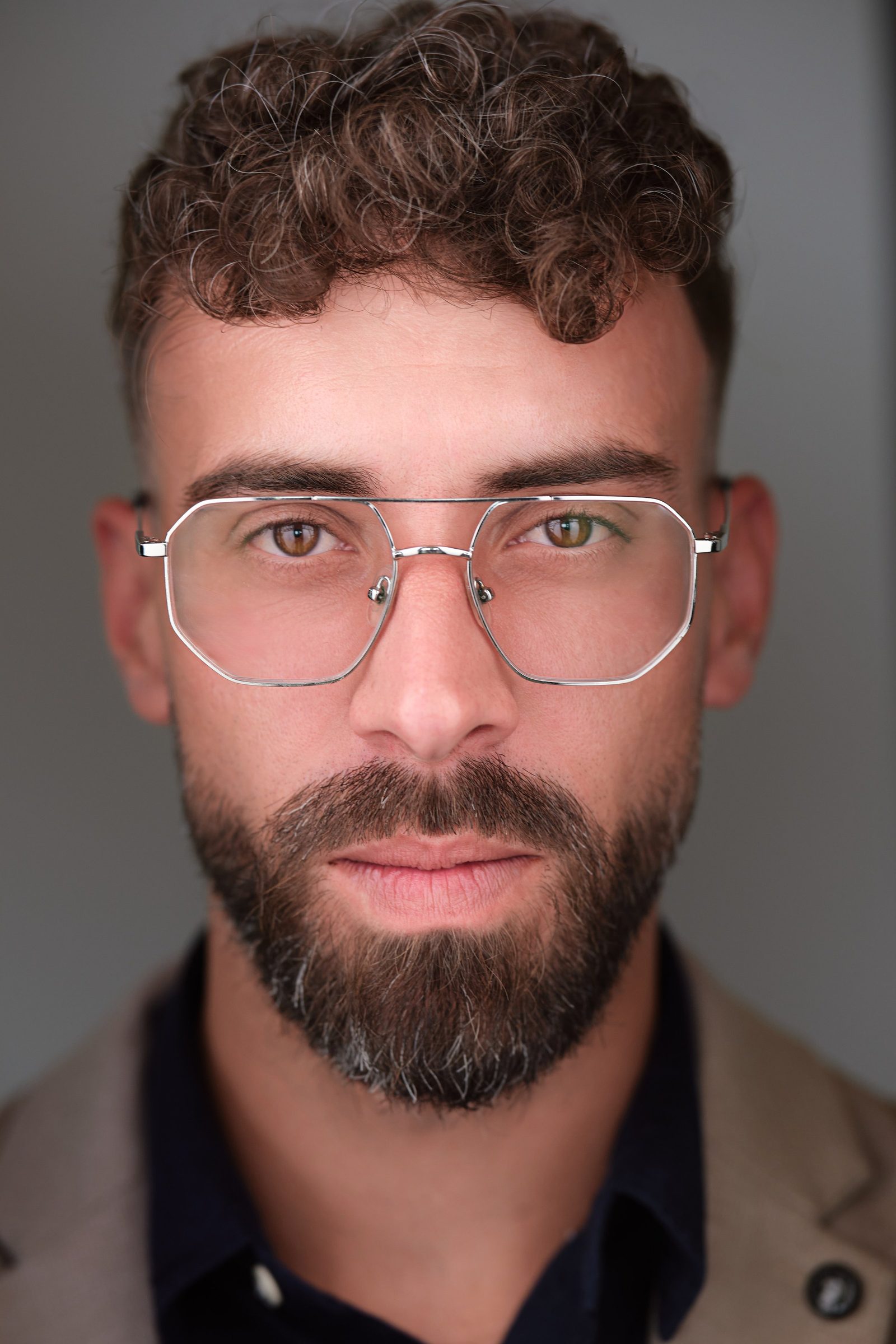

A corporate headshot session in Luxembourg is a short, structured shoot — usually 10 to 15 minutes per person — that produces a consistent, on-brand portrait for LinkedIn, your website and press use. You can do it in a studio or have a photographer bring a mobile setup to your office; both work, and the right choice depends on team size, time and how matched you want every portrait to look.
Below is what actually happens on the day, how to prepare, and how to book a whole team without losing half a working day.
Studio vs on-location: which to choose
For individuals or very small groups, a studio gives the most controlled, polished result; for teams of roughly five or more, an on-location shoot at your office is usually faster and cheaper per person. There is no universally "better" option — it is a trade-off.
- Studio. Fully controlled lighting and background, no setup variables, ideal for one or two key people (executives, partners, a new hire). The person travels to the photographer.
- On-location (mobile studio). The photographer brings lights and a portable backdrop to your premises in Luxembourg-Ville, Kirchberg, Cloche d'Or or wherever you are. People drop in between meetings, which is why most Luxembourg firms doing whole-team refreshes choose this. Allow a small corner of a meeting room — roughly 3 by 3 metres is plenty.
A practical middle path: book on-location for the full team and a slightly longer studio-style session for leadership, so executives get more frames and direction.
What to wear
Dress as you would for an important client meeting, in solid colours, and you will photograph well. Navy is the safest, most universally flattering choice and tends to read as trustworthy — useful in Luxembourg's finance, fintech and legal world.
- Do: solid navy, charcoal, grey, black or white; a tailored blazer; a crisp shirt; simple knitwear with a bit of texture.
- Avoid: loud patterns, tight stripes and small checks (they shimmer on camera), large logos, and brand-new neon-bright whites that can glare.
- Consistency for teams: if you want a uniform look, send staff a one-line dress code in advance (for example, "business attire, solid colours, no patterns"). This is the single biggest factor in a team gallery looking like one set.
Finance and law lean formal (suit, tie optional); tech, creative and startup teams can dress smart-casual — match your actual workplace, not a stereotype.
Grooming and the day itself
Keep grooming normal and recent rather than dramatic, and arrive a few minutes early so you are not rushed. The camera exaggerates anything new or extreme.
- Haircut, if any, about a week before — not the day before.
- Bring a comb, a matte powder or blotting sheets (shine is the most common fix), and a lint roller for dark jackets.
- Glasses-wearers: anti-reflective lenses help; the photographer can also angle to reduce glare.
- A good night's sleep and water do more than any product. Skin blemishes and stray hairs are removed in retouching anyway, so do not stress about them.
How long it takes per person (and planning a team day)
Budget 10 to 15 minutes per person; an efficient on-location setup can move at roughly 5 to 8 people per hour once lighting is dialled in. Block 15 minutes per slot if you want people to settle, shoot, glance at a couple of frames and choose — it keeps the day calm without dragging.
Rough planning numbers:
- Up to ~10 people: a couple of hours, including setup.
- 25 to 35 people: a comfortable half-day with breaks and buffer.
- Larger: a full day, ideally with a sign-up sheet in 15-minute slots so people arrive staggered rather than queueing.
Add a buffer for late arrivals and for the inevitable colleague who wants a second look. A shared booking sheet, plus a reminder the day before, removes most of the friction.
Planning a shoot — or a project in our studio?
Tell us the scope and dates — we reply with a fixed quote within one business day. Prefer to talk it through first? Book a 30-minute call and we'll help you shape the project.
Backgrounds and lighting
A solid, neutral background is the safe default — it keeps attention on the face, works in any professional context and ages well. Most corporate teams choose plain white, light grey or a soft dark grey.
- Plain neutral: the most versatile; cuts out cleanly if you later want everyone on a single brand colour.
- Environmental (your office): a softly blurred workspace adds character and is good for leadership or culture pages, but it is harder to keep identical across a large team.
- Brand colour: possible, but commit to it — mixing backgrounds across one team page looks unintentional.
For a website team grid, pick one background and one lighting style for everyone. Consistency is what makes a page look professionally produced.
Retouching, delivery and file formats
Expect natural, professional retouching — even skin, stray hairs, glasses glare, minor blemishes — never a plastic, over-smoothed look. You typically receive a set of fully edited, high-resolution images per person, often within a few business days.
Ask for delivery in formats matched to where the photos will live:
- LinkedIn / social: a square (1:1) crop, around 800 by 800 pixels or larger.
- Website / team page: high-resolution JPEG, plus a consistent crop ratio across the team.
- Press / print: the full-resolution file, and ask whether a CMYK version is available if needed.
- Background-removed (PNG): useful if your site places portraits on a coloured panel.
Clarify usage rights and how files are stored and shared. Under the EU GDPR, employee portraits are personal data, so a reputable photographer should provide a clear handover, secure delivery (a private gallery rather than a public link), and a sensible retention approach — worth confirming before the shoot.
Booking a whole team efficiently
The efficient route is one block of time, one shared sign-up sheet in fixed slots, and one clear dress code sent in advance. That alone turns a chaotic afternoon into a smooth conveyor.
A simple checklist for the organiser:
- Pick a date and a room; reserve it for the full window plus 30 minutes setup.
- Circulate a 15-minute-slot sign-up sheet and a one-line dress code.
- Send a reminder the day before with the exact room and a "come as you are for work" note.
- Decide the background and crop ratios up front so the whole gallery matches.
- Nominate one internal contact to keep the schedule moving on the day.
In Luxembourg's bilingual EN/FR offices, it also helps to send the instructions in both languages so nothing gets lost.
If you would rather hand off the whole thing, an in-house team like Lux Photo Pro handles the setup, slot scheduling, consistent lighting and delivery so you mostly just point staff to the room.
FAQ
How much do corporate headshots cost in Luxembourg? Typical market rates vary by scope and usage rights, and per-person cost usually drops for larger teams. Note that quotes are normally net — add 17% VAT to compare like with like, and confirm what licensing and retouching are included.
Studio or on-location for my team? For five or more people, on-location at your office is usually faster and gives a more consistent gallery. For one or two senior people, a studio offers maximum control. Many firms combine both.
How do I get every portrait to match? Lock in one background, one lighting setup and one dress code before the day, and shoot everyone in a single session. Consistency comes from planning, not from editing afterwards.
See also: Professional headshots in Luxembourg


